
The Performance Management System (PMS) module empowers employees to evaluate their own performance against pre-defined goals and objectives set through KRAs (Key Result Areas) and Competencies. This involves rating themselves and providing comments on their accomplishments and areas for improvement.
This guide provides a step-by-step walkthrough for tracking, updating, and submitting employee ratings for KRAs (Key Result Areas) and Competencies.
For Employees:
Step 1
Accessing the KRAs and Competencies:
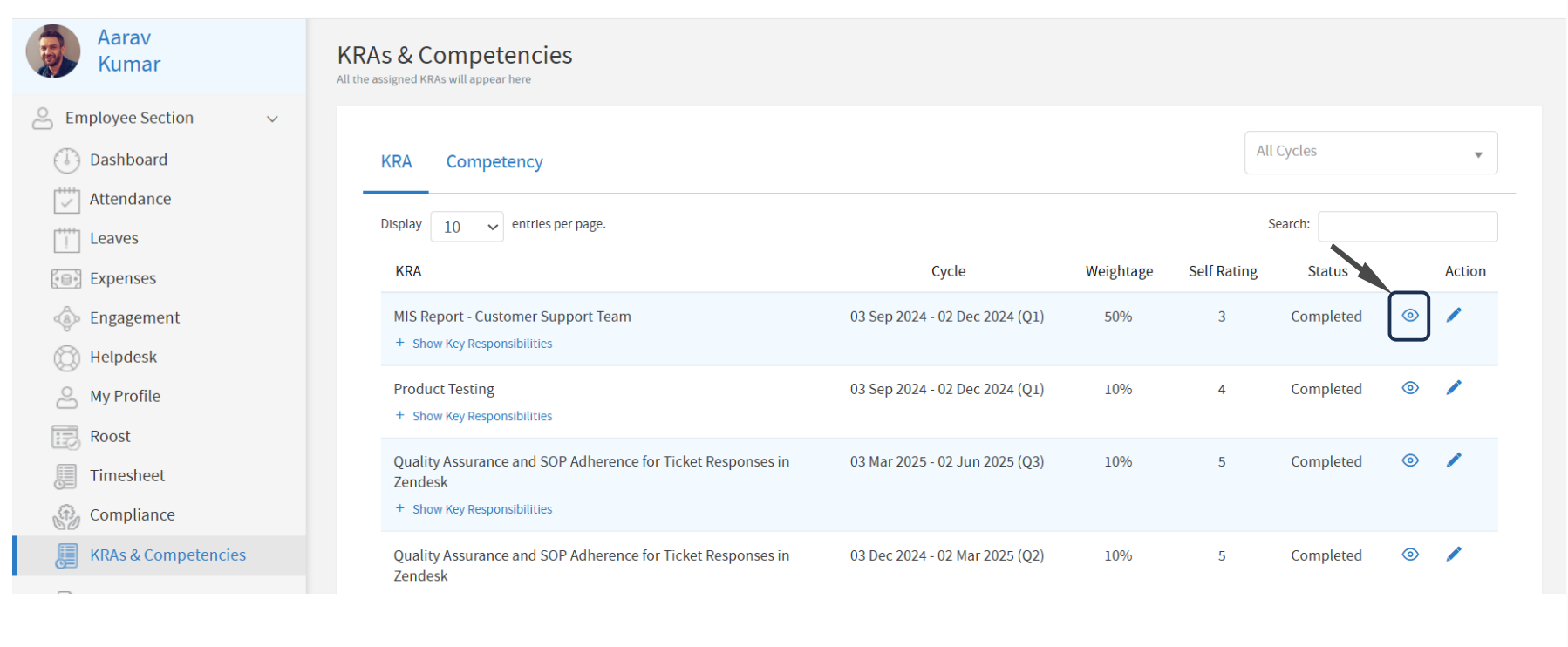
Once the KRAs are assigned by the Admin/HR/Supervisor, the employee can access them via the following path:
Employee Section > KRAs & Competencies
Step 2
Viewing Assigned KRAs:
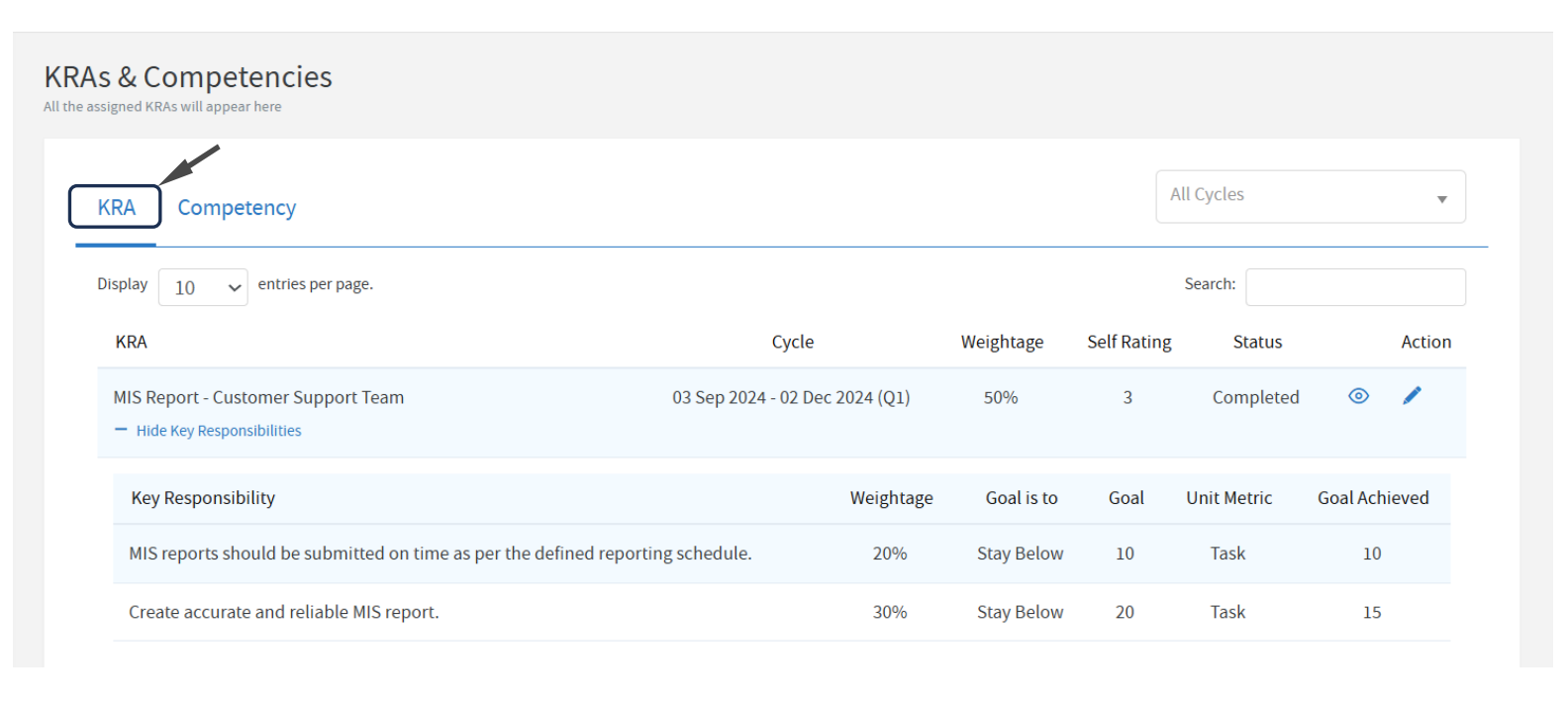
i. The employee can check the list of KRAs, and their corresponding Key Responsibilities by clicking on the eye icon from the below path:
Employee Section > KRAs & Competencies >KRA tab
ii. Under each KRA, the employee can review all the assigned Key Responsibilities.
Step 3
Submitting Employee Self-Rating:
i. In order to submit the self-rating, the employee can access the KRA/Competency page by clicking on the Action button next to the respective KRA.
i. Fill in the details of their Achievements related to the KRA.
ii. Add any Comments or Descriptions to elaborate on their accomplishments, if necessary.
iii. If applicable, upload any Supporting Documents to validate their achievements.
iv. Provide their Self-Ratings for each assigned KRA.
Submitting Competencies
Employees can also submit their self-ratings for the assigned Competencies by following a similar process under the Competency Tab from the path below: Employee Section > KRAs & Competencies.
Comments
0 comments
Please sign in to leave a comment.